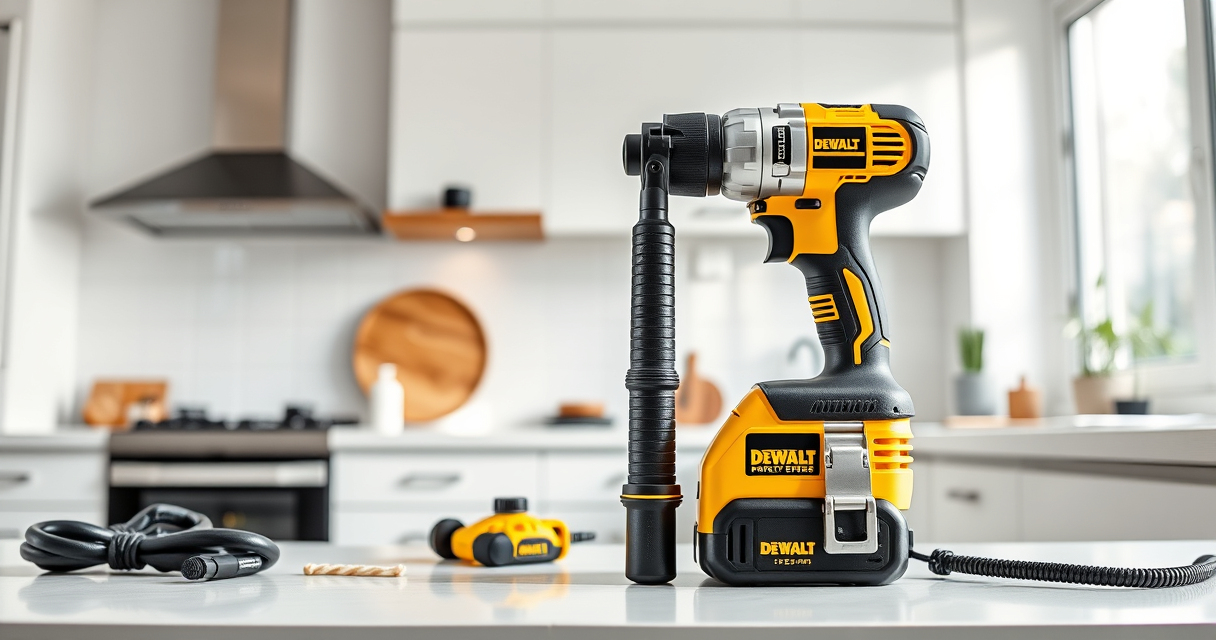

DEWALT power tools are renowned for their durability and performance, but like all cordless tools, they can sometimes overheat during extended use or under certain conditions. Overheating not only hampers productivity but can also damage the tool and reduce its lifespan. Understanding the causes of overheating and knowing how to address them is essential for safe and efficient operation.

Get garden gear delivered free with Prime
- Fast, free delivery on millions of items
- Prime Video, Amazon Music and more included
- Member-only deals all year
In this guide, we will walk through the common reasons why your DEWALT cordless drill or impact driver might overheat, and provide clear, practical steps to troubleshoot and fix the issue. Whether you’re a DIY enthusiast or a professional, these tips will help you keep your tools in top shape and prevent costly repairs.
Key Takeaways
| Overuse | Prolonged continuous use can cause overheating. |
| Obstructions | Blocked vents or debris can trap heat. |
| Battery issues | Faulty or incompatible batteries can generate excess heat. |
| Mechanical stress | Forcing the tool or using the wrong bit increases heat. |
| Lack of maintenance | Dirty or unlubricated parts can overheat. |
Identify Overheating Symptoms
The first step in troubleshooting is recognizing the signs of overheating. Common symptoms include the tool shutting down unexpectedly, a burning smell, excessive heat on the body or battery, and reduced performance. If your DEWALT drill or impact driver becomes noticeably hot to the touch within a short period of use, it likely needs attention.
Monitoring these signs early can prevent permanent damage. Always stop using the tool immediately if you notice overheating signs to avoid further issues.
Step 1: Power Down and Cool the Tool
- Immediately stop using the tool when overheating is detected.
- Turn off the tool and remove the battery from the device.
- Place the tool in a cool, dry area away from direct sunlight or heat sources.
- Allow the tool and battery to cool down completely before inspecting or continuing work. This may take 15-30 minutes depending on the severity of overheating.
Step 2: Inspect and Clear Vents and Passages
- Check the vents on the body of your DEWALT tool for dust, lint, or debris buildup.
- If obstructed, gently clean the vents with a soft brush or compressed air. Do not use liquids or immerse the tool in water.
- Ensure that the battery contacts are clean and free of corrosion. Use a dry cloth or a small amount of contact cleaner if needed.
Step 3: Examine Batteries and Connections
Faulty or incompatible batteries can cause overheating. Verify that you are using the recommended batteries, such as the DEWALT 20V MAX 5 Ah Lithium-Ion Battery (DCB205-2).
Inspect the battery for swelling, corrosion, or damage. Replace if any defects are found.
Ensure that the battery is seated properly in the tool and that the contacts are clean. Using a high-quality, compatible charger also helps prevent overheating caused by charging issues.
Step 4: Reduce Mechanical Stress and Overuse
Applying excessive pressure or forcing the tool beyond its capabilities generates more heat. Use the tool as intended, with appropriate speed settings and techniques.
Take breaks during extended use to allow the motor and battery to cool down. Avoid continuous operation for long periods without pauses.
Step 5: Maintain and Service Regularly
- Keep your DEWALT tools clean and free of dust and debris.
- Lubricate moving parts as recommended in the user manual.
- Regularly check for worn or damaged components and replace them promptly.
- Store tools in a cool, dry place to prevent overheating during idle periods.
The Products in This Guide

DEWALT 20V MAX Cordless Drill and Impact Driver
- ✔ Voltage: 20V
- ✔ Battery Capacity: 5Ah
- ✔ Weight: Lightweight

DEWALT Drill Bit Set
- ✔ Pieces: 14
- ✔ Tip: Split point
- ✔ Coating: Black & gold
DEWALT 20V MAX Cordless Drill and Impact Driver
The DEWALT 20V MAX Cordless Drill and Impact Driver set offers a powerful, lightweight, and ergonomic solution for various projects. Its brushless motors ensure efficiency and durability, with features like LED lighting and quick-release chucks enhancing usability. Proper maintenance and awareness of overheating signs will prolong its lifespan.
Pros:
- Compact and lightweight for tight spaces
- Brushless motor for efficiency
- Includes 2 batteries and charger
- Ergonomic comfort grip
Cons:
- Battery overheating possible if misused
- Vents can clog if not cleaned
- Requires regular maintenance
Best for: DIYers and professionals needing reliable cordless power for multiple tasks
Not ideal for: Heavy continuous use without breaks or improper maintenance
Bottom line: A versatile, durable tool set that performs well with proper care, including managing overheating issues.
DEWALT Drill Bit Set
Pair your DEWALT drill with this 14-piece drill bit set featuring 135-degree split point tips, ideal for plastic, wood, and metal. Its durability and easy identification make it a smart upgrade for any toolkit.
Pros:
- High-speed steel for durability
- Includes a variety of sizes
- Anti-slip 3-flats shank
- Rust-resistant coating
Cons:
- Not suitable for heavy-duty industrial use
- Bits may wear with heavy use
- Requires proper storage
Best for: Enhancing drilling versatility for DIY projects and light professional work
Not ideal for: Heavy industrial applications or high-torque drilling
Bottom line: A versatile drill bit set that complements your DEWALT drill for various materials.
Frequently Asked Questions
Why does my DEWALT tool overheat so quickly?
Overheating can result from prolonged continuous use, obstructed vents, using incompatible batteries, or applying excessive force. Ensuring proper maintenance and use within recommended parameters helps prevent overheating.
How can I prevent my DEWALT drill from overheating?
Use the tool for shorter periods, take regular breaks, keep vents clean, avoid overloading, and use compatible batteries. Proper storage and maintenance also extend the lifespan and reduce overheating risks.
What should I do if my battery gets hot?
Remove the battery immediately from the tool and let it cool down. Check for damage or swelling. Using a different, fully charged battery can prevent overheating issues.
Can I fix overheating issues myself?
Yes, many causes like clogged vents, dirty contacts, or improper use can be addressed with basic troubleshooting. For internal or electrical problems, consult a professional or contact DEWALT support.
How often should I maintain my DEWALT tools?
Regularly clean vents, inspect for damage, lubricate moving parts, and store in a cool, dry place. Proper maintenance enhances performance and prevents overheating.
Keep Your DEWALT Tools Running Smoothly
Understanding the causes of overheating and following the recommended troubleshooting steps will help you maintain the performance and longevity of your DEWALT power tools. Regular care, proper use, and timely inspections are key to avoiding downtime and costly repairs. With these tips, you can confidently handle overheating issues and enjoy reliable operation on every job.
Affiliate disclosure: As an Amazon Associate we earn from qualifying purchases. Prices and availability are accurate as of the time of publishing.
Halloween Picks

Gemmy 6.4 ft Beetlejuice Animatronic Halloween Decoration with Spinning Head

Govee Outdoor Halloween Projector Light, 3D Dynamic Visual Holiday Decor

Fun Costumes 5.5ft Mary the Unhappily Ever After Bride Animatronic Halloween Decoration
As an affiliate, we earn on qualifying purchases.